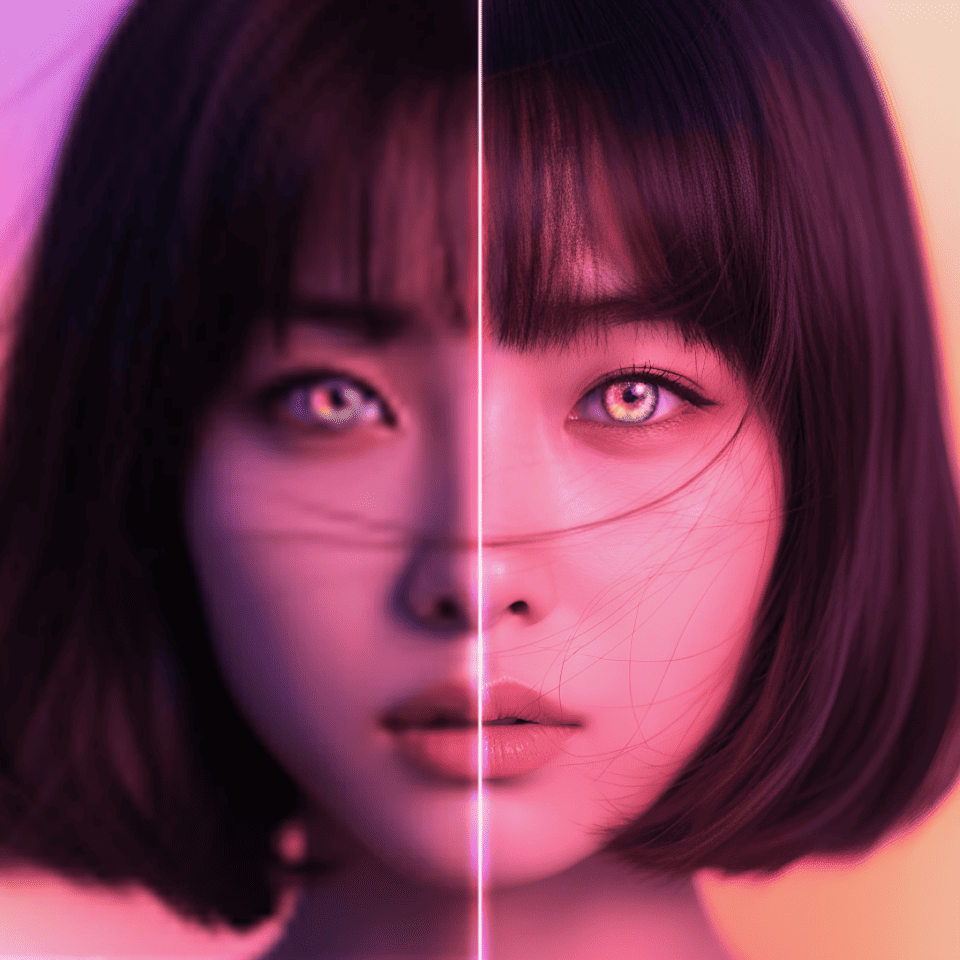
How to enhance photo quality online
Upscaling increases a photo’s resolution by 2x or 4x and uses AI to process details. For example, a 1000 px image becomes 4000 px on its long side at 4x — about 4K. Results depend on the source; upscaling does not guarantee recovery of lost lettering or exact facial features.
- Upload a photo — JPG, PNG or WEBP work best — up to 10 MB.
- Choose ×2 or ×4 and press "Enhance" — the AI increases the resolution and restores fine detail.
- Download the high-resolution result.
When it helps
- Product cards for marketplaces, which require large, sharp photos.
- Print: posters, banners and photo books where a small image looks blurry.
- Old or compressed photos from messengers and social media.
- AI-generated images: upscale a finished generation for a cover or an ad.
FAQ
How much does an upscale cost?
×2 — 1 token (about 15 RUB), ×4 — 2 tokens (about 30 RUB). Tokens come in packs from 149 RUB for 10 tokens (15 RUB per token, cheaper in larger packs), with no subscription, and never expire.
How do I increase photo resolution?
Choose 2x or 4x. For example, 1000×750 px becomes 2000×1500 px (2x) or 4000×3000 px (4x). The 4x mode is available when the source’s longest side is at most 2048 px.
Do I need a VPN?
No. The service works in Russia without a VPN and accepts Russian bank cards.
Can I improve a blurry photo and preserve text?
AI may make an image look sharper, but generated details can differ from the original. Compare small lettering, faces and product details with the source before publishing or printing.
Can I choose any photo size or crop it?
This tool multiplies both sides by 2 or 4 while keeping the aspect ratio. Arbitrary resizing, cropping and compression are separate operations for a regular editor. Use image generation with a reference photo to change the background or lighting from a prompt.
See also: background removal, video upscale to 4K, image generation, upscaling guide.